

RCS Business Messaging: Verified Branding, Rich Cards, Buttons, and Conversations
RCS is more than a message with a picture
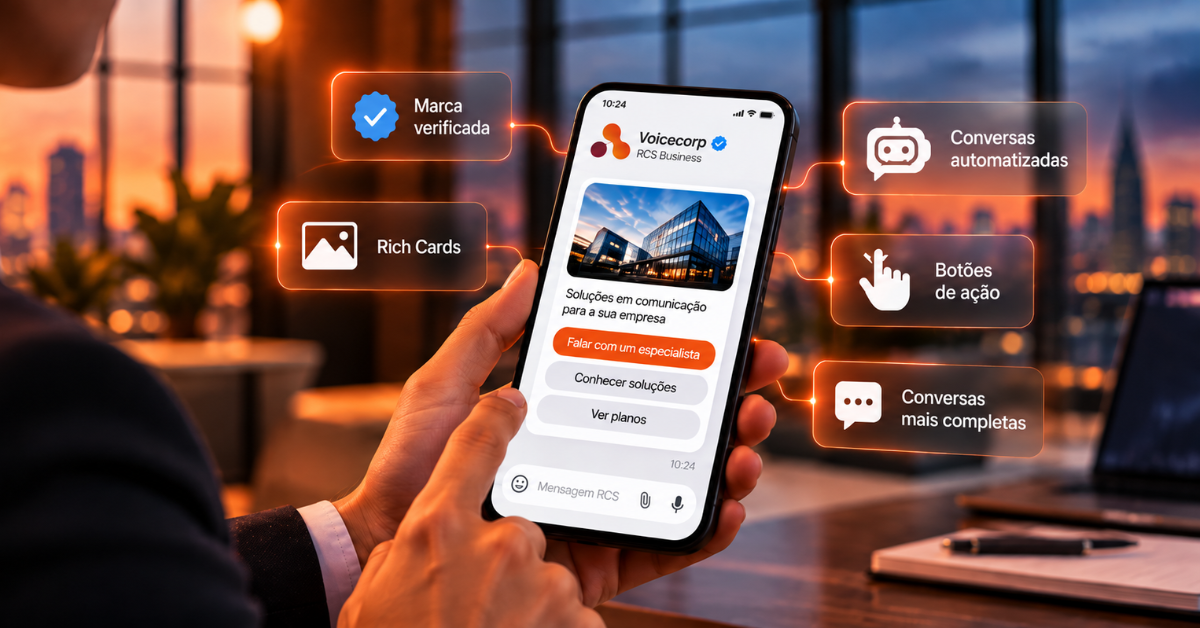
The value of RCS for businesses lies in the combination of three elements: identity, rich content, and interaction.
A well-designed campaign shouldn't simply convert the text of a SMS into a larger message. It should exploit the channel's capabilities to reduce steps and lead the user to clear action.
What are Rich Cards?
Rich Cards are blocks of content that bring together media, title, description, and actions into a single message.
According to the Google RCS for Business documentation, Rich Cards can combine elements such as image, GIF, or video, text, and response or action suggestions.
This allows a company to present an offer in a much more visual way than in a traditional SMS.
Carousels: Multiple options within the conversation
The RCS may also feature Rich Card carousels.
A retail business can showcase different products. A tour company can present destinations. A carrier can display plans. A dealership can show vehicles. A clinic may present schedules or services.
The interaction happens within the conversation, without requiring the user to immediately open an external website.
Suggested responses and actions
The channel allows you to offer ready-made options for the user.
Examples:
"I want to hire"
"Talk to customer service"
"View plans"
"Schedule Appointment"
"Call Now"
"Open website"
"View location"
This makes the conversation more guided and facilitates automation, because the system can interpret predefined choices with less ambiguity.
Verified Brand
Brand verification is an important component of RCS for Business.
In Google Messages, verified and launched agents can display a verification icon associated with their brand name. The goal is to increase trust and make it clearer who is sending the message.
This is particularly relevant for banking, telecom, retail, healthcare, logistics, financial services, and businesses that deal with sensitive communications.
RCS for Business use cases
- Sales and Lead Generation
- Promotional campaigns
- Cart Recovery
- Contract renewal
- Upgrading plans
- Service and self-service
- Scheduling and confirmation
- Collection and negotiation
- Logistics and tracking
- Satisfaction survey
RCS transforms messaging into a service interface
The big change is conceptual.
In the SMS, the company delivers a message. In RCS, the company can build a small conversational interface.
This brings messaging closer to an app, but within the native channel of the cell phone.
For Voicecorp, this evolution is directly connected to the business communication strategy: using technology to make each contact with the customer simpler, more reliable and more efficient.
Talk to Voicecorp
Voicecorp now offers enterprise SMS and RCS solutions for communication, service, notifications, and campaigns. Talk to our team to structure the best strategy for your operation.
0800 102 4141 | voicecorp.com.br
Official references
Google — RCS for Business: https://developers.google.com/business-communications/rcs-business-messaging
Google — Rich Cards: https://developers.google.com/business-communications/rcs-business-messaging/guides/learn/rich-cards?hl=pt-BR
Google — Brand check: https://developers.google.com/business-communications/rcs-business-messaging/guides/launch/brand-verification?hl=pt-BR
Google – Good RCS practices: https://developers.google.com/business-communications/rcs-business-messaging/guides/learn/best-practices?hl=pt-BR
VOICECORP business telecom
